Blog

  • 7 Things to Check Before Buying a UK-Used Laptop in Nigeria

    7 Things to Check Before Buying a UK-Used Laptop in Nigeria

    Buying a UK-used laptop can be a smart way to access capable computing equipment without spending as much as you might on a brand-new device.

    Many UK-used laptops entering the Nigerian market come from business environments, where organisations regularly upgrade their computer equipment. This creates opportunities for buyers to find business-class laptops with useful specifications at competitive prices.

    However, not every UK-used laptop is in the same condition.

    Some may have been carefully maintained, while others may show signs of extensive use. Two laptops that look similar can also have very different internal specifications and performance levels.

    This is why it is important to know what to check before making a purchase.

    Whether you are buying a laptop for school, business, professional work or resale, understanding the basics can help you avoid unnecessary problems.

    Here are seven important things to inspect before purchasing a UK-used laptop in Nigeria.

    1. Check the Processor and Its Generation

    The processor is one of the most important components of a laptop because it influences how efficiently the computer handles tasks.

    When checking a laptop, do not stop at the processor brand. You should also understand the specific model and generation.

    For example, two laptops may both feature Intel Core i5 processors, but that does not mean they deliver identical performance.

    Their generations, architecture, core configurations and operating capabilities may differ.

    The same principle applies to AMD Ryzen processors.

    If you intend to use your laptop for basic activities such as typing, browsing and online classes, you may not need an extremely powerful processor.

    However, demanding applications such as video editing, programming, engineering software and advanced design tools may require more capable hardware.

    Before buying, ask the seller for the exact processor model.

    You can also verify the processor through the laptop’s system information.

    What to look out for:

    • Exact processor model.
    • Processor generation.
    • Number of cores and threads, where relevant.
    • Compatibility with your intended applications.
    • Overall system performance.

    A laptop should be selected based on what you need it to accomplish, not simply because it carries an impressive processor label.

    2. Examine the RAM Capacity

    RAM, which stands for Random Access Memory, helps your computer manage active applications and processes.

    When you open several applications simultaneously, your laptop uses RAM to keep the tasks running smoothly.

    Insufficient memory can lead to slow performance, especially when multitasking.

    For everyday computing, 8GB RAM can be a reasonable starting point for many users, depending on the operating system and applications involved.

    For heavier multitasking, professional applications and more demanding workloads, 16GB or more may be preferable.

    Before buying a UK-used laptop, confirm the installed RAM capacity.

    Also find out whether the RAM can be upgraded.

    Some laptops have upgradeable memory, while others have memory soldered directly onto the motherboard.

    This distinction matters if you intend to use the laptop for several years or anticipate needing more memory later.

    What to look out for:

    • Installed RAM capacity.
    • Whether the memory is upgradeable.
    • Maximum supported memory.
    • Whether the laptop performs smoothly during multitasking.

    Do not assume that two laptops with similar external designs have the same memory configuration.

    Always verify the specifications.

    3. Check the Storage Type and Capacity

    Storage determines how much information your laptop can hold, including documents, applications, videos, pictures and other files.

    You will commonly encounter two major storage types: HDD and SSD.

    A traditional Hard Disk Drive (HDD) uses moving mechanical components to store information.

    A Solid State Drive (SSD) uses flash memory and generally offers much faster data access.

    An SSD can make a significant difference to everyday laptop performance.

    It can improve startup times, application loading and general system responsiveness.

    For many users, an SSD-equipped laptop provides a noticeably better experience than an otherwise similar machine using an older mechanical hard drive.

    Storage capacity is also important.

    A 256GB SSD may be sufficient for someone who mainly works with documents, browsing and online applications.

    A user who stores large videos, design projects or extensive files may prefer 512GB or more.

    Before purchasing a UK-used laptop, confirm both the storage type and its capacity.

    If possible, check the drive’s health using an appropriate diagnostic utility.

    What to look out for:

    • HDD or SSD.
    • Available storage capacity.
    • Drive health.
    • Available upgrade options.
    • Storage performance.

    A laptop with a good processor but a poorly performing storage drive may still feel slow.

    4. Inspect the Battery Health

    Battery condition is particularly important when buying a previously used laptop.

    Laptop batteries naturally degrade over time. Their ability to hold a charge gradually reduces through repeated charging cycles and normal ageing.

    This means a UK-used laptop may not deliver the same battery life it offered when it was new.

    Start by checking whether the laptop charges correctly.

    Disconnect the charger and observe how the battery behaves during normal use.

    Look out for unexpected shutdowns, unusually rapid battery percentage drops and charging problems.

    You should also check whether the battery is recognised correctly by the operating system.

    On supported Windows laptops, you can generate a battery report using the command:

    powercfg /batteryreport

    The report can provide useful information about the battery’s design capacity and current full-charge capacity.

    Comparing these figures gives you an indication of battery wear.

    Remember that actual battery life depends on several factors, including screen brightness, processor workload, battery settings and the applications being used.

    What to look out for:

    • Whether the battery charges normally.
    • Whether the laptop holds a charge.
    • Battery health information.
    • Signs of battery swelling.
    • Unexpected shutdowns.

    A laptop that works perfectly while connected to power may still have a battery problem, so do not ignore this component.

    5. Inspect the Screen, Keyboard and Touchpad

    The display and input devices are parts of the laptop you will interact with every day.

    A laptop with excellent internal specifications can become frustrating to use if its screen, keyboard or touchpad is faulty.

    Start by checking the screen under normal lighting.

    Look for:

    • Cracks.
    • Dead pixels.
    • Flickering.
    • Unusual lines.
    • Discolouration.
    • Brightness inconsistencies.
    • Loose display hinges.

    Open and close the laptop gently to check whether the hinges feel secure.

    Next, test the keyboard.

    Press each key individually and check whether it responds correctly.

    Pay particular attention to commonly used keys, including the spacebar, Enter, Shift and function keys.

    The touchpad should also respond smoothly.

    Test its movement, clicking functions and supported gestures.

    If you intend to use an external mouse, keyboard or monitor, remember to check the relevant connection ports as well.

    These simple checks can reveal issues that may not be obvious from a product photograph.

    6. Test the Ports, Camera, Speakers and Wireless Connectivity

    A laptop is more than its processor, RAM and storage.

    Its additional features determine how conveniently you can connect accessories, communicate and work.

    Check the available USB ports and test them with compatible devices where possible.

    Depending on the laptop model, you may also find HDMI, USB-C, audio and other connections.

    If you regularly connect an external monitor or projector, confirm that the relevant display output works.

    Other components worth testing include:

    Webcam: Open the camera application and confirm that the webcam displays an image correctly.

    Microphone: Make a short recording or use an audio test to check microphone input.

    Speakers: Play audio and listen for distortion or unusual sounds.

    Wi-Fi: Connect to a wireless network and confirm that the connection remains stable.

    Bluetooth: If you use wireless accessories, check whether Bluetooth works.

    Charging port: Confirm that the charger connects securely and charges the battery.

    Testing these features is especially important if you need the laptop for online meetings, remote work or presentations.

    7. Confirm the Laptop’s Overall Condition and Authenticity

    The final step is to assess the overall condition of the laptop.

    Check the casing for damage, missing screws, unusual gaps or signs of previous repairs.

    Look at the bottom panel and hinges.

    Examine the charger and confirm that it is suitable for the laptop.

    You should also verify the device’s identity and software condition.

    Check the model number and serial number where appropriate. Confirm that the laptop’s specifications match the seller’s description.

    For Windows devices, check the activation status and ensure that the laptop can receive a clean, legitimate operating system installation.

    If the machine is intended for business use, confirm that it is not still subject to an organisation’s management restrictions, such as an active enterprise device-management lock.

    Also check that there are no BIOS passwords or other restrictions that could prevent normal use.

    For laptops with macOS, confirm that the device is not tied to another person’s Apple account through Activation Lock.

    A laptop that looks physically clean may still have important software or ownership restrictions.

    Never overlook these checks.

    Additional Advice for Laptop Retailers and Bulk Buyers

    If you are purchasing one laptop for personal use, you can inspect that particular device.

    However, bulk purchasing requires a slightly different approach.

    When buying multiple UK-used laptops, do not assume that all units will have identical specifications or conditions.

    Ask for clear information about the quantity available, model variations, processor configurations and product grading.

    Where possible, establish a sampling or inspection procedure before accepting a large order.

    Make sure the supplier clearly explains the applicable terms for defects, returns and warranty coverage.

    For resellers, accurate product descriptions are essential. If you sell laptops to your own customers, communicate their specifications and conditions honestly.

    Building your reputation around transparency can help your business attract repeat customers.

    Where Can You Buy Quality UK-Used Laptops in Nigeria?

    Finding a laptop is relatively easy. Finding a supplier that takes product quality and accurate information seriously is the more important challenge.

    At Raudhatech Gadget, we supply quality UK-used and brand-new laptops across Nigeria.

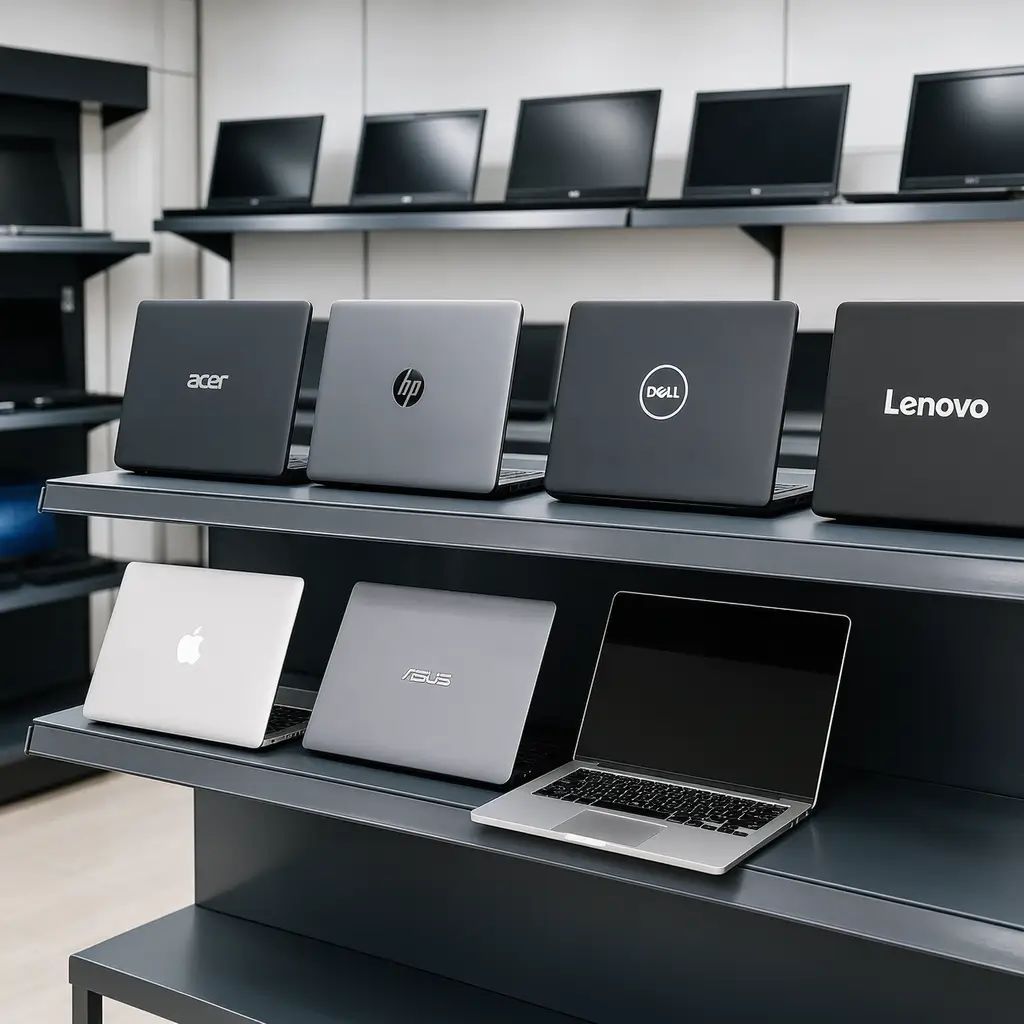
    Our range includes popular HP, Dell, Lenovo and Apple MacBook models, as well as high-performance gaming laptops.

    We understand that individual buyers, businesses and laptop retailers have different requirements. That is why we welcome enquiries for personal purchases as well as bulk and wholesale supply.

    Whether you are sourcing a laptop for professional work, education, business operations or resale, our goal is to help you access suitable technology at competitive prices.

    Conclusion

    Purchasing a UK-used laptop can be a smart decision, provided you know what to inspect.

    Pay attention to the processor, RAM, storage, battery, screen, keyboard, connectivity and overall condition.

    Most importantly, buy from a supplier that communicates clearly and provides accurate product information.

    If you are searching for quality UK-used or brand-new laptops, visit Raudhatech.com.

    You can contact our team through the WhatsApp and email options available on our website for product enquiries and bulk purchasing.

    We supply nationwide across Nigeria, making it easier for customers and laptop retailers in different locations to access our products.

    Raudhatech Gadget โ€“ Your Trusted Destination for Quality UK-Used and Brand-New Laptops.

  • HP, Dell, Lenovo or MacBook: Which Brand To Stock?

    HP, Dell, Lenovo or MacBook: Which Brand To Stock?

    Choosing a laptop is not always as simple as selecting the most popular brand.

    With several established manufacturers offering different models, specifications and price categories, buyers often find themselves asking the same question: which laptop brand is the best?

    HP, Dell, Lenovo and Apple MacBook are among the most recognisable names in the laptop market. Each has developed a strong identity and offers products designed for different users.

    Some customers prefer the familiarity and variety of Windows laptops. Others prioritise business-oriented features, while some prefer the macOS experience offered by Apple.

    For laptop retailers and wholesalers, understanding these differences is equally important. Your customers may ask which brand is better for office work, education, programming, graphic design or everyday use.

    Rather than declaring one brand the overall winner, it is more useful to understand what each brand offers and who may benefit most from its products.

    Let’s take a closer look.

    1. HP Laptops: Versatility for Different Users

    <em>Hewlett-Packard</em>, commonly known as HP, is one of the most recognised computer brands.

    One of HP’s major strengths is the variety of laptops available across different categories and budgets.

    From everyday productivity machines to premium business laptops and powerful gaming systems, HP has products designed for different computing needs.

    Why Consider HP Laptops?

    HP laptops are suitable for a wide range of users.

    Students may find models designed for assignments, browsing and online learning.

    Office workers can choose productivity-focused machines for spreadsheets, presentations, email and communication.

    Professionals may prefer business-oriented HP models with features designed for regular workplace use.

    Customers looking for gaming performance can also explore HP’s gaming range, including its OMEN and Victus families.

    Who Should Buy HP?

    HP is worth considering if you want:

    • A variety of laptop models and price categories.
    • Computers for education and everyday productivity.
    • Business-oriented machines.
    • Gaming laptop options.
    • Different screen sizes and configurations.

    For retailers, HP’s broad product range provides opportunities to serve different customer segments.

    However, remember that HP models can vary significantly in specifications and build quality. Always compare individual machines before making purchasing decisions.

    2. Dell Laptops: A Strong Choice for Business and Professional Use

    Dell has built a strong reputation in the computer industry, particularly in business and professional computing.

    Its laptop portfolio includes everyday consumer devices, business machines, workstations and specialised systems.

    Popular Dell families include Latitude, Precision, XPS and Inspiron.

    Why Consider Dell Laptops?

    Dell Latitude laptops are widely associated with business environments.

    They are commonly considered by professionals who need computers for office applications, communication, productivity and organisational work.

    Dell Precision workstations are designed for more demanding professional workloads, depending on the model and configuration.

    The XPS family is positioned as a premium laptop range, while Inspiron models serve different everyday computing needs.

    Dell laptops can also appeal to organisations looking to purchase multiple computers for employees.

    Who Should Buy Dell?

    Dell may be worth considering if you need:

    • A business-oriented laptop.
    • A machine for office productivity.
    • A professional workstation.
    • A premium laptop experience.
    • A computer for corporate or organisational use.

    For laptop resellers, Dell’s different product families create opportunities to serve both individual professionals and business customers.

    As with other brands, the specific model, hardware configuration and condition should determine whether a particular Dell laptop is suitable.

    3. Lenovo Laptops: Productivity and Practical Design

    Lenovo is another major laptop manufacturer with a wide range of products.

    Its ThinkPad, ThinkBook, IdeaPad, Yoga and Legion families serve different markets.

    Lenovo has a particularly strong presence in business computing through its ThinkPad range.

    Why Consider Lenovo Laptops?

    ThinkPad laptops are recognised for their business-focused design and productivity features.

    Many professionals appreciate their keyboard experience, practical layouts and range of business configurations.

    IdeaPad models provide options for everyday computing, students and general users.

    Yoga laptops include convertible designs in selected models, offering flexibility for customers who want touchscreen functionality and different usage positions.

    Lenovo Legion laptops target customers interested in gaming and performance-oriented computing.

    Who Should Buy Lenovo?

    Lenovo is worth considering if you want:

    • A productivity-focused business laptop.
    • A machine for typing-intensive work.
    • A laptop for everyday computing.
    • A convertible laptop experience.
    • A gaming laptop from the Legion family.

    For resellers, Lenovo provides an opportunity to serve customers looking for both affordable everyday devices and more specialised machines.

    4. Apple MacBook: A Different Computing Experience

    Apple MacBook laptops stand out because they use Apple’s macOS operating system rather than Windows.

    The MacBook family includes the MacBook Air and MacBook Pro, each serving different users and performance requirements.

    Why Consider MacBook?

    One of Apple’s strengths is the integration between its hardware, operating system and wider product ecosystem.

    For customers who already use an iPhone, iPad or other Apple devices, a MacBook can offer a convenient connected experience.

    MacBooks are also popular among creative professionals, writers, developers, business owners and students.

    Depending on the model, they can provide strong performance, efficient battery use, high-quality displays and a premium design.

    The MacBook Air is generally positioned for portability and everyday productivity, while the MacBook Pro targets users who need more advanced performance and features.

    Who Should Buy a MacBook?

    A MacBook may be suitable if you:

    • Prefer macOS.
    • Work within Apple’s ecosystem.
    • Need a laptop for creative applications.
    • Value portability and battery efficiency.
    • Prefer Apple’s hardware and software experience.

    However, not every application runs natively on macOS, and some professional or business tools are designed specifically for Windows.

    Before purchasing, check that the applications you depend on are compatible with the MacBook model you intend to buy.

    5. Which Brand Is Best for Students?

    Students have different academic requirements.

    A student studying business administration may need a laptop for documents, spreadsheets, online research and presentations.

    A computer science student may need a machine capable of running development environments and programming tools.

    An architecture or engineering student may require specialised applications with higher hardware demands.

    HP, Dell and Lenovo offer a broad selection of Windows laptops that can suit different academic requirements.

    MacBooks may also be excellent options for students whose courses and preferred applications support macOS.

    The important thing is to check the course requirements before choosing a brand.

    Do not spend extra money on features you will not use, but avoid buying a machine that cannot handle your academic workload.

    6. Which Brand Is Best for Business Owners?

    Business owners generally need laptops that support communication, accounting, productivity, customer management and other daily operations.

    HP, Dell and Lenovo all offer business-oriented products.

    For organisations buying several computers, it may be useful to standardise certain specifications so that employees can use compatible devices.

    MacBooks can also be excellent for businesses that use compatible software and prefer Apple’s ecosystem.

    When making a purchasing decision, consider the software your organisation uses, the number of employees, IT support requirements and available budget.

    7. Which Brand Is Best for Graphic Design and Creative Work?

    Creative professionals should look beyond the manufacturer’s name.

    The specifications that matter include:

    • Processor performance.
    • RAM capacity.
    • Display quality and colour reproduction.
    • Graphics processing capability.
    • Storage capacity.
    • Software compatibility.

    MacBooks can be attractive to many creative professionals, particularly those working with applications optimised for macOS.

    However, powerful Windows laptops from HP, Dell and Lenovo can also handle demanding creative applications.

    If your work involves 3D modelling, advanced video editing or specialised graphics software, a laptop with dedicated graphics may be necessary.

    Always compare the specific hardware and software requirements before purchasing.

    8. Which Brand Should Laptop Retailers Stock?

    For laptop retailers, choosing products should involve more than personal preference.

    You need to understand what your customers are buying and what your market demands.

    Consider stocking a combination of brands and categories where your budget and supplier availability allow it.

    For example:

    • HP laptops for general productivity and different budget categories.
    • Dell Latitude models for business-oriented buyers.
    • Lenovo ThinkPad models for professionals and office users.
    • MacBooks for customers who prefer macOS.
    • Gaming laptops for performance-focused buyers.

    This approach can help you serve a wider audience.

    However, do not purchase inventory without considering demand, product specifications and expected selling prices.

    A good inventory strategy balances popular products with specialised models that appeal to particular customer groups.

    9. Why Product Specifications Matter More Than Brand Names

    One of the most common mistakes buyers make is assuming that a particular brand automatically guarantees better performance.

    In reality, a laptop’s specifications and condition are often more important than the name on its casing.

    A well-configured Dell laptop may outperform a lower-specification HP laptop.

    A newer Lenovo machine may be more suitable for a particular task than an older MacBook.

    This is why customers should compare processor models, RAM, storage, graphics and display features before deciding.

    For UK-used laptops, physical condition and battery health should also be considered.

    The right laptop is the one that delivers the performance you need at a price that makes sense.

    Find Your Next Laptop at Raudhatech Gadget

    Whether you prefer HP, Dell, Lenovo or Apple MacBook, finding the right product starts with identifying your needs.

    At Raudhatech Gadget, we supply quality UK-used and brand-new laptops across Nigeria.

    Our product categories include popular HP, Dell, Lenovo and MacBook models, alongside high-performance gaming laptops.

    We also cater to laptop retailers, suppliers, distributors and other businesses looking to purchase laptops in bulk.

    Our aim is to provide access to reliable technology at competitive prices while making the sourcing process straightforward for customers nationwide.

    Conclusion

    HP, Dell, Lenovo and Apple MacBook all have something valuable to offer.

    HP provides versatility, Dell offers a broad range of professional and business machines, Lenovo combines practical productivity-focused options with specialised models, while Apple MacBook delivers a distinct macOS experience.

    There is no single brand that is best for everyone.

    The right choice depends on your budget, intended workload, preferred operating system and required specifications.

    Ready to explore quality laptops from these brands?

    Visit Raudhatech.com to discover our products and make an enquiry.

    You can contact our team through the WhatsApp and email options available on the website. We supply nationwide and welcome enquiries from individual buyers, retailers, distributors and bulk purchasers.

    Raudhatech Gadget โ€“ Bringing Quality Technology Closer to You.

  • How to Start a Profitable Laptop Reselling Business in Nigeria

    How to Start a Profitable Laptop Reselling Business in Nigeria

    The demand for laptops in Nigeria continues to create opportunities for entrepreneurs, technology retailers and aspiring business owners. From students and freelancers to corporate organisations, business owners and creative professionals, more people need reliable laptops to work, learn, communicate and run their businesses.

    This growing demand makes laptop reselling an interesting business opportunity, especially for people who understand what customers need and know where to source quality products at competitive prices.

    However, starting a laptop business involves more than simply buying a few computers and putting them up for sale. You need to understand the market, identify the right products, work with dependable suppliers, manage your capital and build a reputation that encourages customers to return.

    Whether you want to start with a small collection of laptops or establish yourself as a wholesale laptop distributor, having the right foundation can make a significant difference.

    In this guide, we will explore the practical steps involved in starting a laptop reselling business in Nigeria and how to position yourself for long-term growth.

    1. Understand the Laptop Market Before Investing

    Before putting your money into laptop inventory, take time to understand the market you intend to serve.

    Not every customer wants the same type of laptop. A university student may be looking for an affordable computer for assignments, online classes and research. A graphic designer may need a machine with stronger processing power, sufficient RAM and dedicated graphics. Meanwhile, a business owner may prioritise reliability, portability and battery performance.

    Understanding these differences helps you decide what products to stock.

    Start by identifying your potential customers:

    • Students looking for affordable laptops.
    • Corporate workers and business owners.
    • Freelancers and remote workers.
    • Graphic designers and video editors.
    • Gamers and software developers.
    • Laptop retailers looking for wholesale suppliers.
    • Computer shops that need regular inventory.

    If you intend to sell in bulk, pay particular attention to other laptop retailers, distributors and smaller technology businesses. These customers may purchase multiple units and return whenever they need to replenish their stock.

    The more clearly you understand your target market, the easier it becomes to choose the right products.

    2. Choose the Right Laptop Brands

    Brand selection is another important consideration.

    Some laptop brands have strong recognition among Nigerian buyers, making them attractive options for retailers and distributors.

    Popular brands include:

    HP: HP laptops are widely used for office work, education, business activities and everyday computing. Their broad product range makes it possible to serve customers with different budgets and requirements.

    Dell: Dell is known for its business-oriented laptop ranges, including Latitude, Precision and other models. These machines appeal to professionals, organisations and customers looking for dependable computing solutions.

    Lenovo: Lenovo offers different categories of laptops, from everyday productivity machines to powerful professional systems. Its ThinkPad range is particularly recognised in business environments.

    Apple MacBook: MacBooks appeal to professionals, students, designers and other users who prefer Apple’s ecosystem. Their build quality, performance and software experience make them an attractive category.

    Gaming laptops: Gaming laptops serve a specialised but valuable market. Customers interested in gaming, video editing, 3D applications and other demanding tasks may look for machines with powerful processors and dedicated graphics.

    As a reseller, you do not necessarily need to stock every brand and model immediately. Begin with products that match your customers’ needs and expand as you understand demand.

    3. Find a Reliable Laptop Supplier

    Your supplier can influence almost every aspect of your business.

    A good supplier helps you access quality inventory, maintain competitive prices and respond to customer demand. An unreliable supplier, on the other hand, can expose your business to inconsistent product quality, unexpected costs and dissatisfied customers.

    When evaluating a supplier, consider the following:

    • Product condition and quality.
    • Availability of different brands and configurations.
    • Transparency about UK-used and brand-new stock.
    • Consistency of inventory.
    • Competitive wholesale pricing.
    • Clear communication.
    • Availability of product specifications.
    • A straightforward enquiry and purchasing process.

    Avoid choosing a supplier based on price alone. A laptop that appears cheaper may become more expensive if it has undisclosed faults or does not match the specifications advertised.

    Whenever possible, understand the supplier’s inspection process and clarify important purchasing terms before making large orders.

    This is particularly important when buying in bulk because a small difference in product quality can affect several units at once.

    4. Understand UK-Used and Brand-New Laptops

    One of the advantages of operating a laptop business is that you can serve different market segments by offering both UK-used and brand-new products.

    UK-used laptops can appeal to customers who want established business-class models at more accessible prices. They may offer specifications and build quality that would otherwise be difficult to afford when buying brand-new machines.

    Brand-new laptops, meanwhile, attract customers who prefer unused devices, current product ranges and the reassurance of purchasing new equipment.

    Both categories have their place in the market.

    As a reseller, make sure you understand the condition, specifications and pricing of each product before offering it to customers. Never describe a UK-used laptop as brand-new or make promises about condition that you cannot verify.

    Honest product descriptions help build customer confidence and reduce unnecessary disputes.

    5. Start With a Realistic Business Budget

    You do not need to begin with an enormous inventory to establish a laptop reselling business. What matters is managing your available capital carefully.

    Your budget should account for more than the cost of purchasing laptops.

    Consider:

    • Initial inventory.
    • Transportation and logistics.
    • Packaging and handling.
    • Marketing and advertising.
    • Business registration and operating expenses.
    • Payment processing charges, where applicable.
    • Possible after-sales support costs.
    • Emergency funds.

    If you are starting small, focus on a carefully selected range of products rather than purchasing too many models without knowing whether customers want them.

    For wholesale businesses, inventory planning becomes even more important. You should understand how much capital is tied up in stock and how quickly you can convert that inventory into sales.

    Avoid spending your entire budget on products that may take a long time to sell.

    6. Learn How to Price Your Laptops Competitively

    Pricing is one of the decisions that can determine whether your business attracts customers or struggles to make sales.

    Your selling price should cover the purchase cost and relevant business expenses while leaving room for a reasonable profit.

    Before setting your prices, research what similar products are selling for in the Nigerian market.

    Compare laptops with similar:

    • Processor generations.
    • RAM capacity.
    • Storage capacity.
    • Screen sizes.
    • Product conditions.
    • Graphics capabilities.
    • Overall specifications.

    Do not compare two laptops simply because they belong to the same brand. An HP laptop with an older processor and limited memory is not necessarily comparable to a newer HP model with stronger specifications.

    For wholesale customers, consider offering pricing structures based on order quantities where your margins allow it.

    The objective is to remain competitive without sacrificing the quality of the products or the financial health of your business.

    7. Build an Online Presence for Your Laptop Business

    Customers increasingly research products online before making purchasing decisions.

    A professional website gives your business a central place to display available laptops, provide specifications, explain your services and receive enquiries.

    Your website should ideally include:

    • Clear product photographs.
    • Accurate laptop specifications.
    • Product condition information.
    • Pricing or enquiry options.
    • Your business contact details.
    • WhatsApp contact access.
    • Information about delivery coverage.
    • A blog section with useful buying guides.

    Social media platforms can also help you showcase new arrivals, demonstrate products and communicate with potential buyers.

    However, do not depend entirely on social media. A dedicated website gives customers a more organised way to learn about your business and discover your products.

    For businesses that sell in bulk, make sure your website communicates that wholesale enquiries are welcome. This can help attract retailers and distributors rather than only individual buyers.

    8. Make Customer Trust a Priority

    Trust is particularly important in the laptop market because buyers are investing in devices they expect to use for work, education and business.

    Provide accurate product descriptions. Explain whether a laptop is UK-used or brand-new. Share its actual specifications and be transparent about its condition.

    Where appropriate, allow customers to understand the inspection, warranty and return terms applicable to their purchases.

    Respond to questions professionally and avoid exaggerating product performance.

    A customer who receives exactly what was advertised is more likely to recommend your business to others.

    For wholesale businesses, reliability also means communicating clearly about stock availability, quantities, order terms and delivery arrangements.

    9. Plan for Nationwide Sales and Distribution

    You do not have to limit your laptop business to customers within your immediate location.

    A well-organised supply and delivery arrangement can help you reach buyers in different parts of Nigeria.

    Think about customers in Lagos, Abuja, Port Harcourt, Ibadan, Kano, Enugu, Benin City and other commercial centres.

    Before promising delivery, establish clear arrangements with dependable logistics providers. Communicate delivery costs, estimated timelines and any applicable conditions before confirming an order.

    For bulk orders, pay particular attention to packaging and handling because laptops require appropriate protection during transportation.

    Nationwide reach can create opportunities to serve retailers who may not have access to dependable suppliers within their immediate areas.

    10. Work With a Supplier That Understands Your Business

    As your laptop business grows, your supplier becomes more than somewhere you purchase inventory. The relationship can become an important part of your ability to serve customers consistently.

    This is why choosing a supplier that understands the needs of retailers, distributors and bulk buyers matters.

    At Raudhatech Gadget, we supply quality UK-used and brand-new laptops across Nigeria. Our product range covers popular technology brands, including HP, Dell, Lenovo, Apple MacBook and high-performance gaming laptops.

    Whether you are stocking a computer shop, expanding your retail business or sourcing laptops for your customers, we welcome wholesale and bulk enquiries.

    Our goal is to make it easier for laptop retailers and technology businesses to access quality products at competitive prices.

    Conclusion: Build Your Laptop Business With the Right Foundation

    Starting a laptop reselling business in Nigeria can be a rewarding opportunity, but long-term success requires proper planning.

    Understand your customers, choose the right brands, manage your capital, price products carefully and work with suppliers you can depend on.

    Most importantly, build your business around product quality, honesty and customer satisfaction.

    If you are looking for a laptop supplier for your retail or wholesale business, visit Raudhatech.com.

    You can explore our products and contact our team through the website’s WhatsApp and email enquiry options. We supply customers nationwide across Nigeria and welcome enquiries from retailers, distributors and bulk buyers.

    Raudhatech Gadget โ€“ Your Reliable Partner for Quality Laptops at Competitive Prices.